
1.
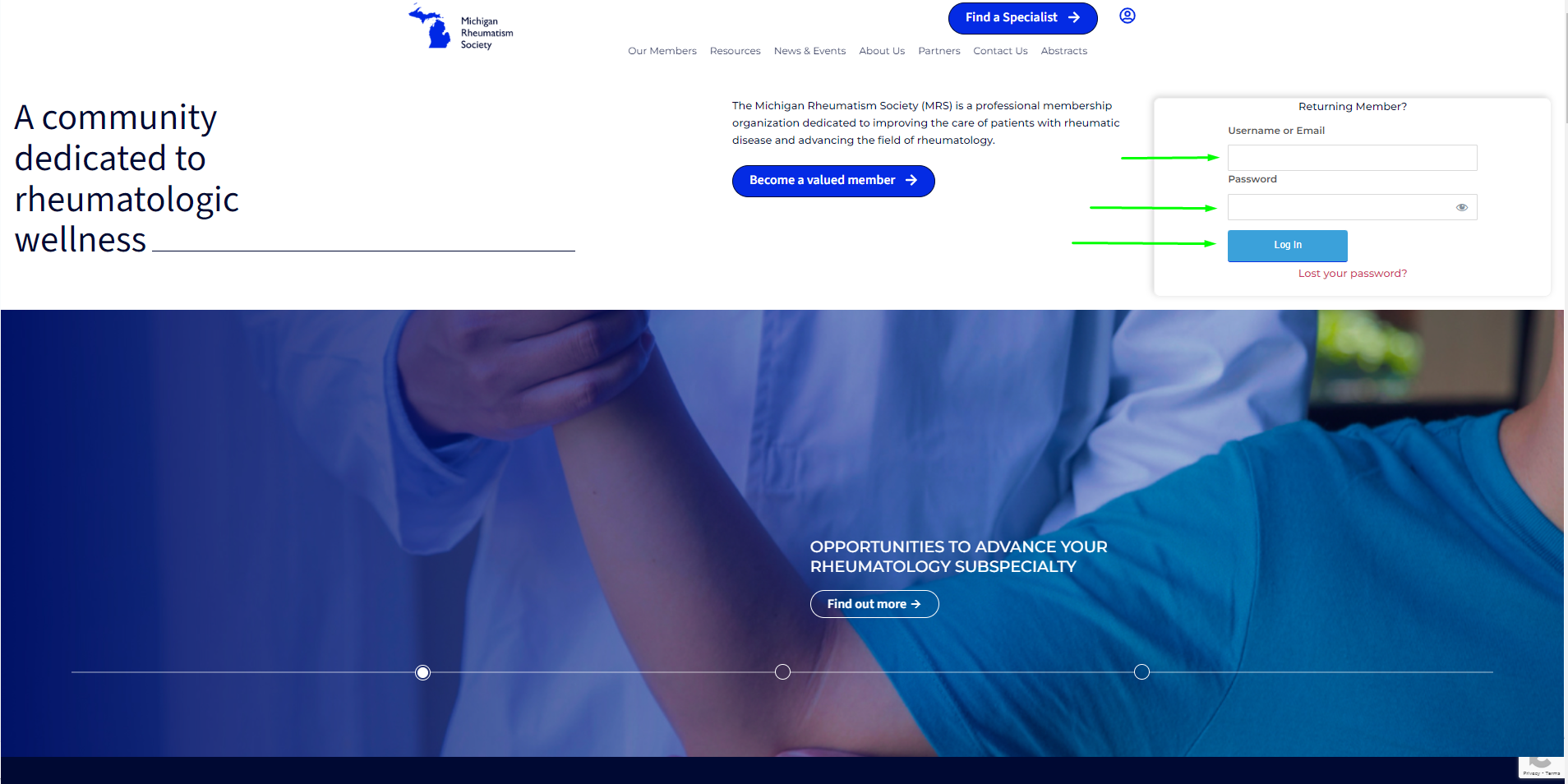
From the MRS homepage https://mirheumatism.org/ input your Username or Email in the top box your password in the Password box then click login.
2.
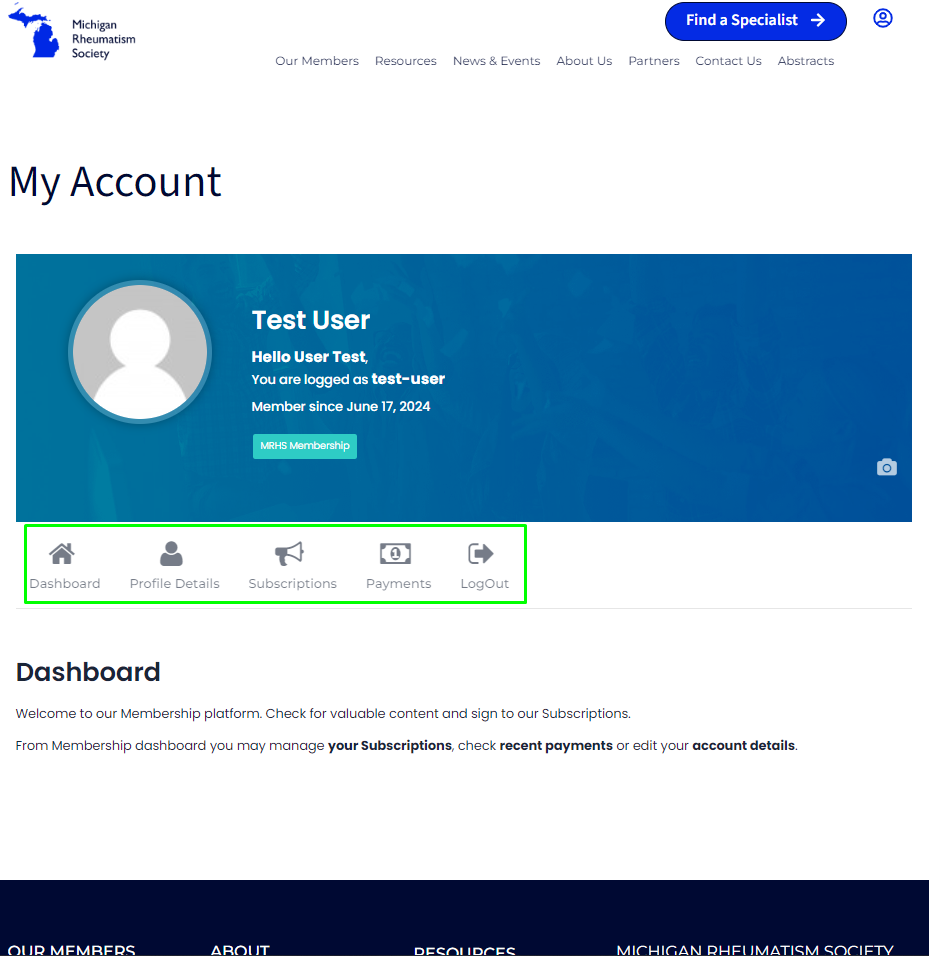
From the member screen, there are a few options. To see your current profile details and update them select profile details. Selecting subscriptions will show your active membership, payment amount, expiration date, and more. Payments will show a history of your payments, the amount, and the status.
3.
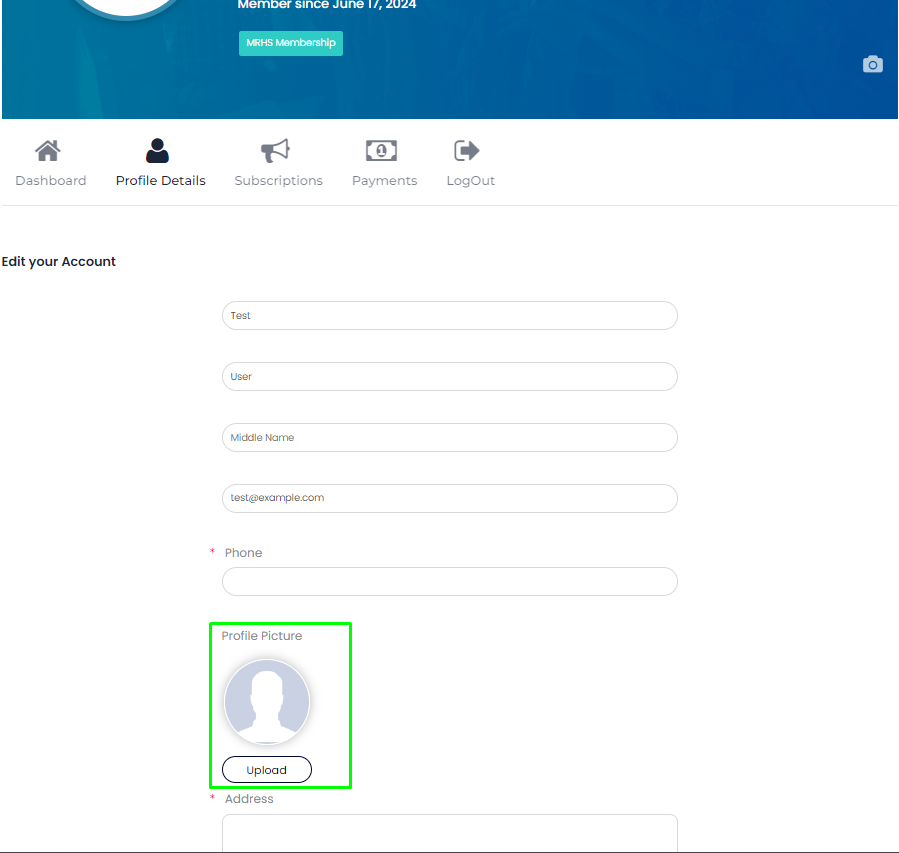
In the Profile Details section of My Account you can upload a profile picture, add the address of your practice update your email, and make changes to your password.
4.
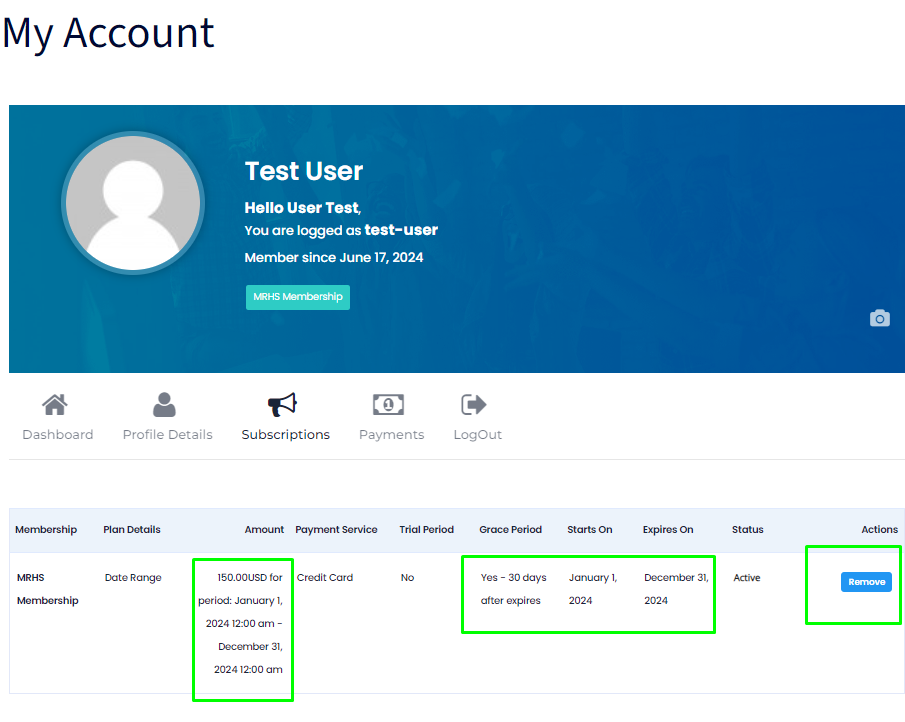
From the Subscriptions screen, you can view your current membership status, and see the amount for your last membership dues. The start date of your current membership and the expiration date of your membership. As well as the option to cancel your membership in the event this is needed.
5.
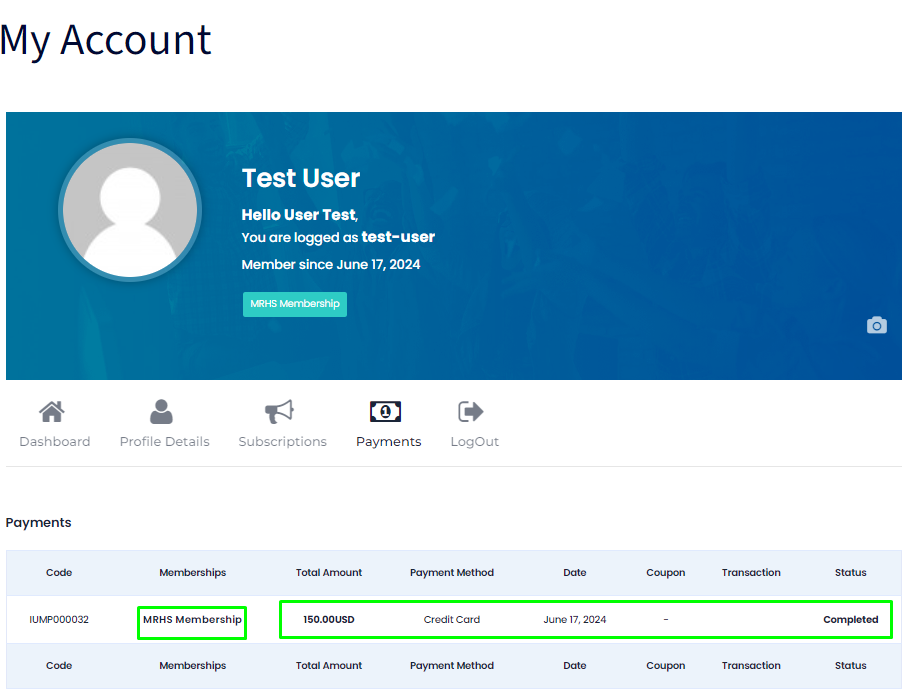
From this menu you can see your payments.
For assistance with your account, please submit a request to strategy@aqabatech.com